C++ Function Templates: Generic Programming from Scratch
Table of Contents
- What Are Function Templates?
- Your First Function Template
- How Type Deduction Works
- Multiple Template Parameters
- Explicit Specialization
- Non-Type Template Parameters
- Templates with Auto Return Types (C++14)
- Constexpr and Templates
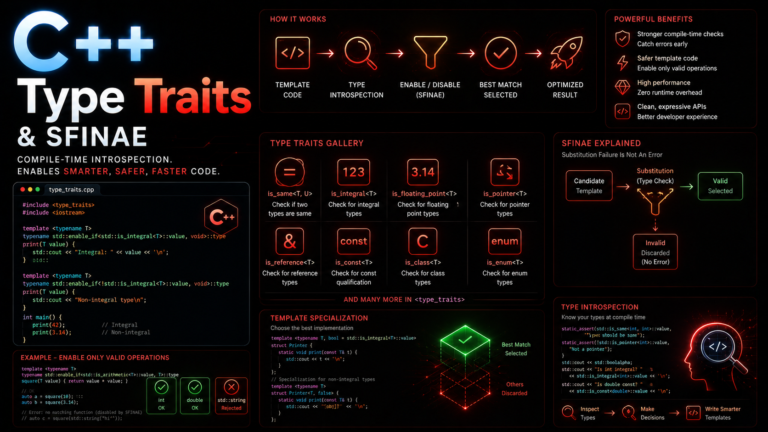
- Overload Resolution with Templates
- SFINAE: A First Look
- Common Mistakes and Pitfalls
- Key Takeaways
You have already seen how function overloading lets you write multiple versions of the same function for different types. But what happens when you need the exact same logic for int, double, std::string, and a dozen custom types? Writing an overload for each one is tedious and error-prone. This is the problem that function templates solve — and understanding them is the gateway to generic programming, the paradigm that powers the entire C++ Standard Template Library.
In this lesson, you will learn how to write function templates, how the compiler deduces types, how to specialize templates for edge cases, and how to combine them with modern C++ features like constexpr and auto return types. By the end, you will think about functions differently — not as operations on specific types, but as operations on concepts.
1. What Are Function Templates?
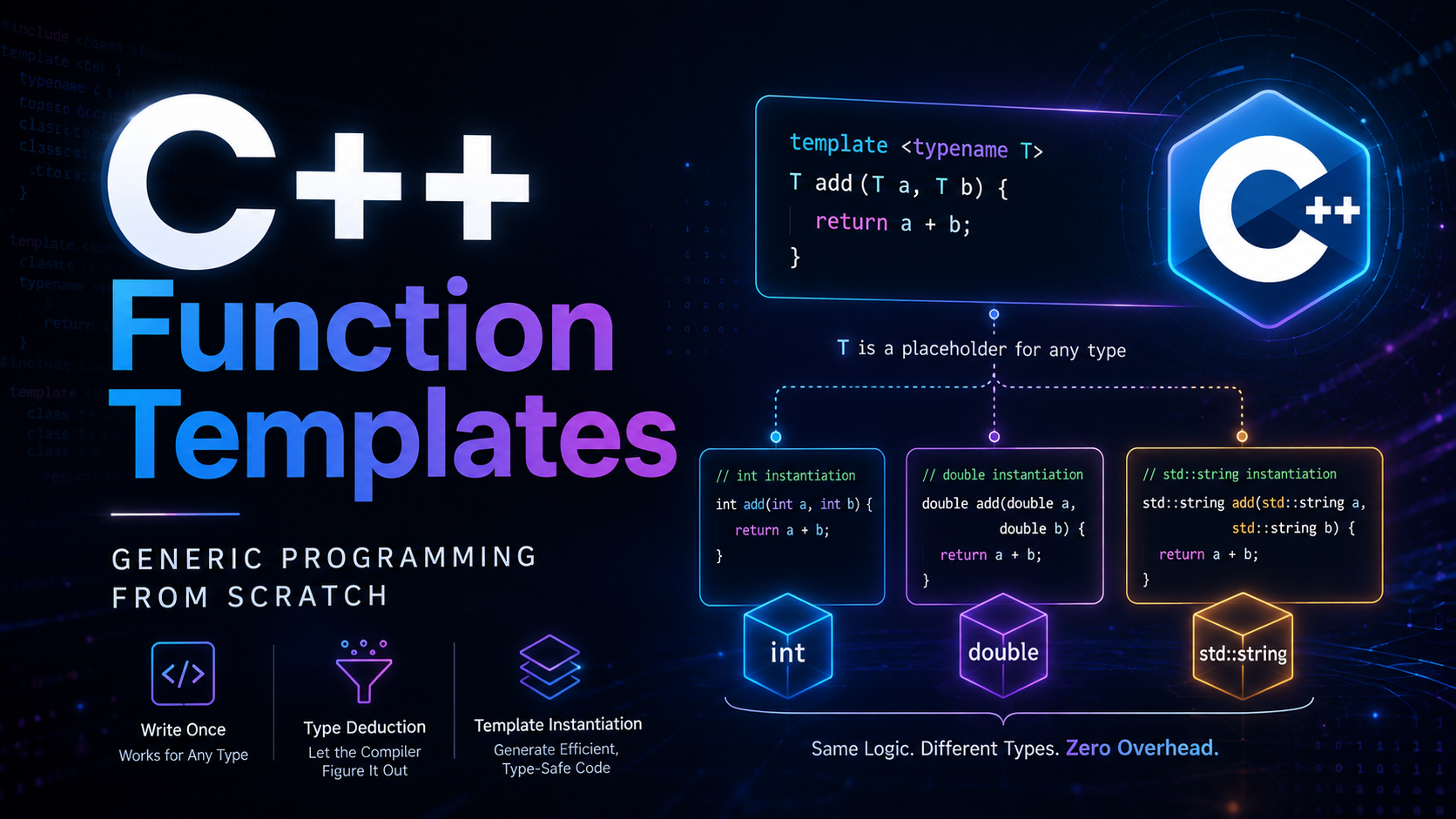
A function template is a blueprint. It tells the compiler: “Here is the logic. When someone calls this function with a concrete type, generate the actual code for that type.” This generation step is called instantiation, and it happens entirely at compile time. That means templates add zero runtime overhead — the generated code is identical to what you would have written by hand for each type.
The syntax starts with the template keyword, followed by a parameter list in angle brackets. The most common form uses typename (or equivalently, class) to declare a type parameter:
template<typename T>
T max_val(T a, T b) {
    return (a > b) ? a : b;
}
Here, T is a placeholder. When you call max_val(3, 5), the compiler substitutes int for T and generates a concrete function max_val<int>(int, int). When you call max_val(3.14, 2.71), it generates max_val<double>(double, double). Each instantiation is a real, standalone function in your binary. This is compile-time polymorphism — different behavior for different types, resolved before the program ever runs. For more on how C++ handles type conversions behind the scenes, see our lesson on type casting.
2. Your First Function Template
Let’s start with a complete, runnable example:
#include <iostream>
#include <string>

template<typename T>
T max_val(T a, T b) {
    return (a > b) ? a : b;
}

int main() {
    // Works with integers
    std::cout << max_val(10, 20) << "\n";         // 20

    // Works with doubles
    std::cout << max_val(3.14, 2.71) << "\n";     // 3.14

    // Works with strings (lexicographic comparison)
    std::cout << max_val(std::string("apple"),
                         std::string("banana")) << "\n"; // banana

    // Explicit type specification
    std::cout << max_val<double>(10, 3.14) << "\n"; // 10

    return 0;
}
Notice the last call: max_val<double>(10, 3.14). Without the explicit <double>, the compiler would see int and double as arguments and fail because it cannot deduce a single T from two different types. The explicit specification forces both arguments to be treated as double.
3. How Type Deduction Works
When you call a function template without specifying the type explicitly, the compiler examines the arguments and deduces T. This is template argument deduction, and it follows strict rules defined in the C++ standard.
The key rules to remember:
- All arguments that map to the same
Tmust produce the same deduced type. Callingmax_val(3, 3.14)fails because one argument deducesintand the other deducesdouble. - Top-level
constand references are stripped. If you pass anint&, the compiler deducesT = int, notT = int&. - Array-to-pointer and function-to-pointer decay apply. Passing a
char[10]deducesT = const char*, notT = char[10].
template<typename T>
void show_type(T val) {
    // Using a compiler-specific trick to see the deduced type
    std::cout << __PRETTY_FUNCTION__ << "\n";  // GCC/Clang
}

int main() {
    int x = 42;
    const int cx = 42;
    int& rx = x;

    show_type(x);   // T = int
    show_type(cx);  // T = int  (const stripped)
    show_type(rx);  // T = int  (reference stripped)
    show_type("hi"); // T = const char*  (array decays)
}
If you want to preserve references or const-ness, you need to design your template parameters differently — using T&, const T&, or forwarding references (T&&). This becomes critical when working with smart pointers and move semantics.
4. Multiple Template Parameters
Templates are not limited to a single type parameter. You can have as many as you need:
#include <iostream>

// Two type parameters — arguments can be different types
template<typename T, typename U>
auto add(T a, U b) -> decltype(a + b) {
    return a + b;
}

// A more practical example: converting between types
template<typename Target, typename Source>
Target safe_cast(Source value) {
    if (static_cast<Source>(static_cast<Target>(value)) != value) {
        throw std::runtime_error("Narrowing conversion detected");
    }
    return static_cast<Target>(value);
}

int main() {
    auto result = add(3, 4.5);     // T=int, U=double, returns double
    std::cout << result << "\n";   // 7.5

    int narrow = safe_cast<int>(42.0);   // OK
    // int bad = safe_cast<int>(42.9);   // throws!

    return 0;
}
In the add function, the trailing return type decltype(a + b) tells the compiler to figure out the return type from the expression. This is a pre-C++14 technique. Starting with C++14, you can simplify this — we will see how in section 7.
5. Explicit Specialization
Sometimes the generic algorithm is wrong for a specific type. Explicit specialization lets you provide a custom implementation for that type while keeping the generic version for everything else:
#include <iostream>
#include <cstring>

// Primary template
template<typename T>
T max_val(T a, T b) {
    return (a > b) ? a : b;
}

// Explicit specialization for C-strings
// The generic version would compare pointer addresses, not string content!
template<>
const char* max_val<const char*>(const char* a, const char* b) {
    return (std::strcmp(a, b) > 0) ? a : b;
}

int main() {
    std::cout << max_val(10, 20) << "\n";              // Uses generic: 20
    std::cout << max_val("apple", "banana") << "\n";   // Uses specialization: banana

    return 0;
}
Without the specialization, comparing const char* values would compare memory addresses — a classic bug. The specialization intercepts calls with const char* arguments and provides correct behavior. Note, however, that the ISO C++ FAQ recommends preferring overloads over specializations in most cases, because overloads participate more predictably in overload resolution.
6. Non-Type Template Parameters
Template parameters do not have to be types. They can be compile-time constants like integers, pointers, or (since C++20) floating-point values and literal class types:
#include <iostream>
#include <array>

// N is a non-type template parameter — a compile-time integer
template<typename T, int N>
T array_sum(const std::array<T, N>& arr) {
    T total = T{};  // Value-initialize (0 for numeric types)
    for (int i = 0; i < N; ++i) {
        total += arr[i];
    }
    return total;
}

// Compile-time factorial using non-type parameters
template<int N>
constexpr int factorial() {
    if constexpr (N <= 1) return 1;
    else return N * factorial<N - 1>();
}

int main() {
    std::array<double, 4> vals = {1.1, 2.2, 3.3, 4.4};
    std::cout << array_sum(vals) << "\n";  // 11.0

    constexpr int f5 = factorial<5>();
    std::cout << f5 << "\n";  // 120 — computed at compile time

    return 0;
}
Non-type parameters are powerful because the value is baked into the generated code at compile time. The compiler can unroll loops, optimize branches, and even compute entire results before the program runs. This technique is used extensively in libraries like Eigen for high-performance linear algebra.
7. Templates with Auto Return Types (C++14)
C++14 introduced return type deduction, which eliminates the need for trailing return types in many template functions:
#include <iostream>
#include <string>

// C++14: compiler deduces return type from the return statement
template<typename T, typename U>
auto multiply(T a, U b) {
    return a * b;
}

// Combining auto with decltype(auto) preserves references
template<typename Container>
decltype(auto) get_first(Container& c) {
    return c[0];  // Returns a reference if operator[] returns one
}

int main() {
    auto r1 = multiply(3, 4.5);         // double: 13.5
    auto r2 = multiply(2, std::string("ha"));  // string: "haha"

    std::cout << r1 << "\n";
    std::cout << r2 << "\n";

    std::vector<int> nums = {10, 20, 30};
    get_first(nums) = 99;  // Modifies the vector because we return a reference
    std::cout << nums[0] << "\n";  // 99

    return 0;
}
The difference between auto and decltype(auto) matters. Plain auto strips references and const (just like template type deduction). decltype(auto) preserves the exact type of the return expression, including references. The cppreference page on auto covers the full deduction rules.
8. Constexpr and Templates
Combining constexpr with templates lets you write generic functions that the compiler evaluates at compile time when given constant expressions:
#include <iostream>
#include <type_traits>

template<typename T>
constexpr T power(T base, int exp) {
    T result = 1;
    for (int i = 0; i < exp; ++i) {
        result *= base;
    }
    return result;
}

// C++17: constexpr if — branches resolved at compile time
template<typename T>
constexpr auto describe_and_double(T value) {
    if constexpr (std::is_integral_v<T>) {
        return value * 2;           // Integer path
    } else if constexpr (std::is_floating_point_v<T>) {
        return value * 2.0;         // Floating-point path
    } else {
        return value + value;       // Fallback (e.g., strings via operator+)
    }
}

int main() {
    // Compile-time evaluation
    constexpr auto p1 = power(2, 10);     // 1024 — computed at compile time
    constexpr auto p2 = power(3.0, 4);    // 81.0 — also compile time

    static_assert(p1 == 1024, "Power calculation failed");

    std::cout << describe_and_double(21) << "\n";    // 42
    std::cout << describe_and_double(1.5) << "\n";   // 3.0
    std::cout << describe_and_double(std::string("ha")) << "\n"; // haha

    return 0;
}
The if constexpr construct (C++17) is transformative. Without it, all branches must compile for every type, even if they are logically unreachable. With if constexpr, the compiler discards untaken branches entirely. The constexpr if documentation explains the discard rules in detail.
9. Overload Resolution with Templates
When both a template and a non-template function match a call, the compiler prefers the non-template (more specialized) version. This interacts with function overloading in important ways:
#include <iostream>

// Template version
template<typename T>
void process(T val) {
    std::cout << "Template: " << val << "\n";
}

// Non-template overload
void process(int val) {
    std::cout << "Non-template int: " << val << "\n";
}

int main() {
    process(42);        // Non-template int: 42  (prefers exact match)
    process(3.14);      // Template: 3.14
    process("hello");   // Template: hello
    process<int>(42);  // Template: 42  (forced template with explicit arg)
}
The rules: non-templates are preferred over templates when the match quality is equal. Among template candidates, the most specialized template wins. This hierarchy is documented in the overload resolution rules on cppreference.
10. SFINAE: A First Look
SFINAE — Substitution Failure Is Not An Error — is one of the most powerful and confusing features built on templates. The idea is simple: if substituting a type into a template produces invalid code, the compiler silently removes that template from the candidate set instead of throwing a compilation error.
#include <iostream>
#include <type_traits>

// This version is only available for arithmetic types
template<typename T>
typename std::enable_if<std::is_arithmetic_v<T>, T>::type
safe_divide(T a, T b) {
    if (b == T{0}) throw std::runtime_error("Division by zero");
    return a / b;
}

// C++20 makes this cleaner with concepts:
// template<typename T>
// requires std::is_arithmetic_v<T>
// T safe_divide(T a, T b) { ... }

int main() {
    std::cout << safe_divide(10.0, 3.0) << "\n";  // 3.33...
    std::cout << safe_divide(10, 3) << "\n";       // 3

    // safe_divide(std::string("a"), std::string("b"));
    // ^ Compile error: no matching function (SFINAE removed the candidate)

    return 0;
}
SFINAE is a deep topic that warrants its own lesson. For now, understand the principle: templates that produce invalid substitutions are silently discarded, and the compiler moves on to other candidates. The ISO C++ template FAQ provides further reading. C++20 concepts are the modern replacement for most SFINAE patterns, offering dramatically clearer error messages and simpler syntax.
11. Common Mistakes and Pitfalls
1. Defining templates in .cpp files
Template definitions must be visible at the point of instantiation. If you put a template definition in a .cpp file and try to use it from another translation unit, you get a linker error. Solution: define templates in header files, or use explicit instantiation declarations.
2. Forgetting that arguments must match for deduction
template<typename T>
T max_val(T a, T b);

// max_val(3, 3.14);  // ERROR: T deduced as both int and double
max_val<double>(3, 3.14);  // OK: explicit specification
3. Comparing pointers instead of values
Passing const char* to a template that uses operator> compares addresses, not string contents. Use std::string or write a specialization.
4. Cryptic error messages
Template errors can produce pages of incomprehensible output. A single typo inside a template used deep in the STL can generate hundreds of lines. Read from the bottom of the error — the root cause is usually there. Better yet, use C++20 concepts to constrain your templates. The constraints and concepts page explains the modern approach.
5. Template code bloat
Every unique instantiation generates a separate function in your binary. If you instantiate a template with 50 different types, you get 50 functions. For large templates, this can increase binary size significantly. Be mindful of this when working with templates in performance-sensitive code that also cares about binary size. Understanding how pointers work under the hood helps you see why each instantiation is distinct in the compiled output.
6. Accidentally bypassing specializations
Calling with slightly different types can skip your specialization entirely. If you specialize for const char* but the caller passes a char[6] literal, the primary template may be selected instead.
12. Key Takeaways
- Function templates are blueprints that the compiler instantiates for each concrete type at compile time — zero runtime overhead.
- Type deduction usually infers template arguments from function arguments, but you can specify them explicitly with
func<Type>(args). - Multiple type parameters allow arguments of different types. Combine with
autoor trailing return types for flexible return types. - Explicit specialization lets you override the generic behavior for specific types, but prefer overloads when possible.
- Non-type parameters accept compile-time constants, enabling powerful compile-time computation.
- constexpr + templates combine to create functions that work generically and evaluate at compile time.
- SFINAE silently discards invalid template candidates, enabling conditional function availability. C++20 concepts are the cleaner modern alternative.
- Define templates in headers. Putting them in
.cppfiles causes linker errors. - Templates are the foundation of the entire STL —
std::vector,std::sort,std::unique_ptr— all are templates.
Function templates are your entry point into generic programming — one of C++’s most powerful paradigms. Every container you have used, every algorithm you have called from <algorithm>, every smart pointer wrapping your resources: they are all built on the template machinery you learned today. In the next lesson, we will take this further with class templates, where you will build your own generic data structures from scratch.
For a deeper dive into template mechanics, the cppreference function template page is the definitive reference. And if you want to understand the design philosophy behind generic programming in C++, Bjarne Stroustrup’s template FAQ is well worth reading.